Which RAG system should you choose for your business application?

Introduction: RAG as the backbone of applied AI
You have a product catalog with 50,000 references. An employee types a question into your internal chatbot: “Which connector is compatible with the X400 series in a humid environment?” A standard LLM, even GPT-4o or Claude, does not know your catalog. It will produce an answer that sounds plausible, but is wrong.
RAG (Retrieval-Augmented Generation) solves that problem. The principle is simple: before letting the LLM answer, the system retrieves the relevant documents from your data, then injects them into the model context. The LLM generates its answer from your real data, not from its training memory.
In 2026, RAG has become hard to ignore because the use cases have multiplied:
- Customer support chatbots: answers based on your documentation, FAQ and resolved tickets;
- Internal document search: a legal team searches for a precedent across 10,000 contracts;
- HR assistant: employees ask questions about leave policies, benefits and collective agreements;
- Product knowledge base: field technicians search for maintenance procedures;
- Regulatory analysis: GDPR compliance, ISO standards, legal texts.
The common point is clear: you own proprietary data, and you want an LLM to use it intelligently. You do not need to fine-tune a model every time a document changes. RAG works on live data.
But between Pinecone, pgvector, Qdrant, LangChain, Vertex AI and many other options, the choice has become confusing. This guide is here to make the trade-offs clearer.
Before choosing a stack: the forgotten data audit
Before comparing vector databases or choosing a framework, there is a step that most RAG projects skip. It is also the first reason they fail.
As Jonas Roman, a RAG practitioner who has shipped more than 60 production projects, points out: 70 to 80% of the work in a RAG project is data preparation, not prompts, models or architecture. It is the classic garbage in, garbage out problem. No vector database, no matter how powerful, can compensate for poorly prepared data.
Before writing code, audit your data across four dimensions:
- Quality: are the documents readable? Are scanned PDFs usable? For complex documents such as diagrams or tables, advanced OCR tools like Mistral OCR provide better results than basic extractors.
- Structure: is the data homogeneous? Three-line emails mixed with 200-page reports, inconsistent formats and contradictory information all need to be mapped upfront.
- Completeness: do you actually have all the required data? A common issue is that business teams believe everything is available, but nobody has checked. Halfway through the project, a large portion turns out to be unusable.
- Accessibility: where does the data live? Unstructured documents, SQL databases, ERP, CRM? This map determines the target architecture.
Practical advice: a few hours of scoping with business experts can save weeks of development in the wrong direction. Invest that time before writing the first line of code.
When RAG is not the answer
The reflex “internal data means vector RAG” has become automatic. But classic RAG, meaning embeddings plus semantic search, is not always the right tool. Before jumping into implementation, ask these questions.
Does the answer already exist in structured data?
If the question is “What was revenue by region in 2023?” and the data lives in an ERP or SQL database, you do not need RAG. A direct SQL query will be more reliable, faster and cheaper. RAG retrieves text passages; it does not aggregate, calculate or guarantee numerical accuracy.
Do you need to read the whole corpus?
“What are the main lessons from our 30 audit reports for 2024?” RAG is designed to find the most relevant passages, not to read an entire shelf. For this kind of global analysis, use map-reduce approaches, where each document is summarized first and the summaries are then synthesized, or use a multipass process.
Do you need exhaustiveness?
“Give me every contract containing a non-compete clause.” Across 200 contracts, a vector RAG system might find 40 out of 47. The remaining 7 are missed. In legal or regulatory contexts, that gap is unacceptable. For these cases, you need Knowledge Graphs or reinforced hybrid search.
Are calculations required?
RAG does not calculate. If the answer requires arithmetic operations over data, create dedicated tools, such as calculation functions or API calls, that the LLM can trigger outside the RAG pipeline.
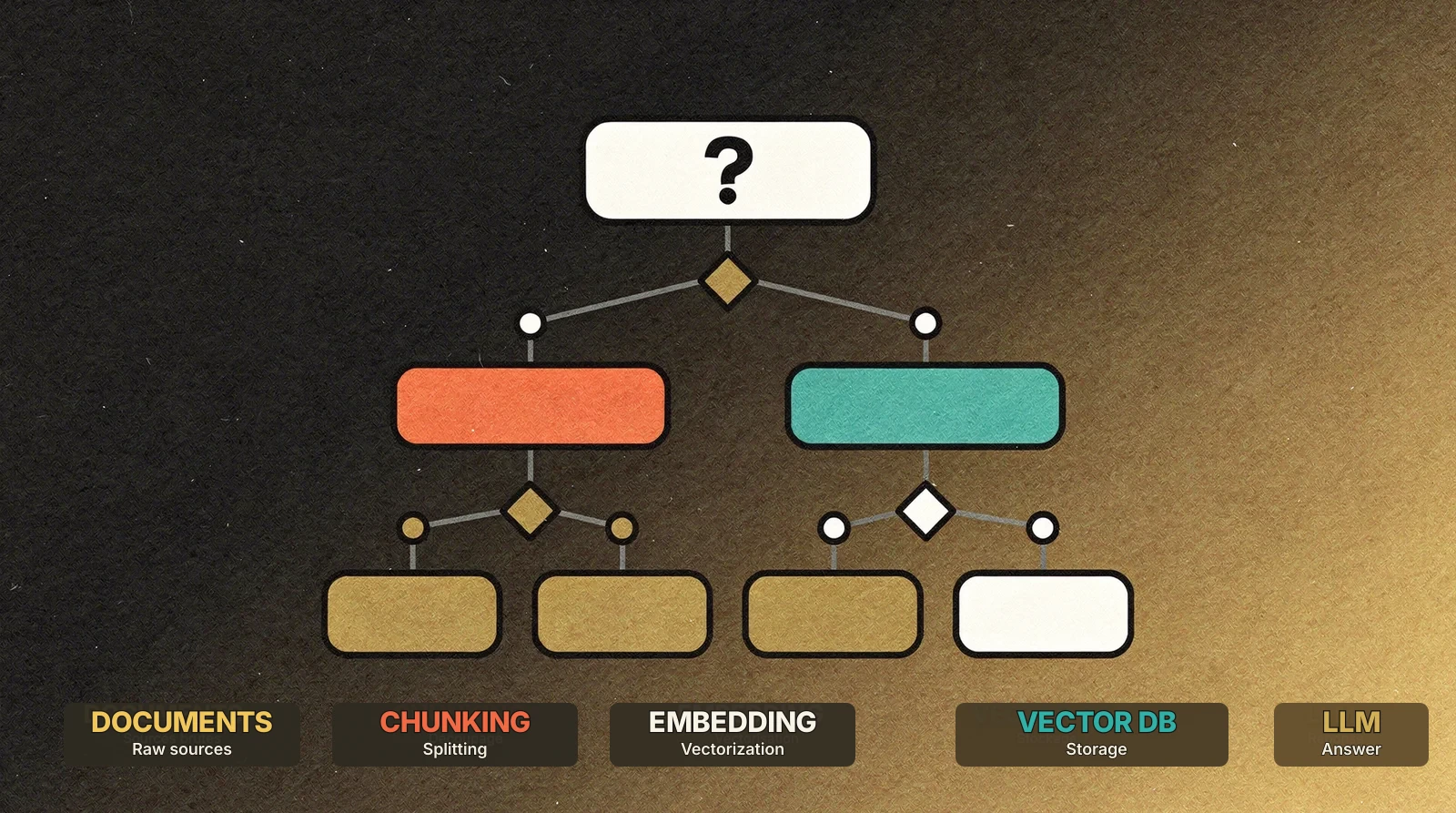
Good systems are almost always hybrid. An upstream LLM classifier analyzes the user’s intent and routes the request to the right tool: vector RAG for semantic understanding, SQL for structured data, tools for calculations, map-reduce for global synthesis. That router can simply be an LLM that classifies the question in a few seconds. You do not need complex infrastructure to start.
The building blocks of RAG
A RAG system is not a single tool. It is a pipeline made of five distinct steps, each with its own technology choices.
1. Ingestion
Raw documents, whether PDFs, web pages, emails, Word files or SQL data, must be transformed into usable pieces. This is the parsing and chunking step.
- Parsing: extract text from a scanned PDF, interpret an HTML table, clean Markdown;
- Chunking: split a 200-page document into segments of 500 to 1,500 tokens, with or without overlap.
Chunking is more critical than it looks. Chunks that are too large dilute relevance. Chunks that are too small lose context. There is no universal size. It depends on your documents and your queries.
The 5 most expensive chunking mistakes
- Cutting through a table: a table split in two produces two unusable chunks. Detect tables and keep them together.
- Too much overlap: 50% overlap doubles your index size without improving quality. Aim for 10 to 15%.
- Losing metadata: chapter title, document name, date. These often disappear during chunking. Attach them systematically as chunk metadata.
- Ignoring document structure: chunking a legal document by token count ignores articles and sections. Use the logical structure as delimiters.
- Using one format for every document: a three-line email and a 200-page report should not be chunked the same way.
Contextual embedding: enriching each chunk
An emerging technique improves retrieval quality significantly: contextual embedding. Before vectorizing a chunk, ask an LLM to generate a short sentence that places the chunk in the broader document context. That sentence is added before embedding.
The result: each chunk “knows” where it comes from. A paragraph about the X400 pump specifications is no longer an orphaned fragment. It carries context such as “excerpt from the X400 pump maintenance manual, sealing chapter”. The semantic surface area increases, and retrieval becomes much more precise.
2. Embedding
Each chunk is transformed into a vector, a list of numbers, typically 256 to 3,072 dimensions, encoding the semantic meaning of the text. Two sentences that mean the same thing will have close vectors, even if the words differ.
Common embedding models in 2026:
| Model | Dimensions | Vendor | Note |
|---|---|---|---|
text-embedding-3-small | 1,536 | OpenAI | Good price/quality ratio, widely used |
text-embedding-3-large | 3,072 | OpenAI | More accurate, more expensive |
embed-v4 | 1,024 | Cohere | Strong multilingual performance |
voyage-3-large | 1,024 | Voyage AI | Strong on code and technical documents |
voyage-multimodal-3 | 1,024 | Voyage AI | Text + image embeddings |
gemini-embedding-2 | 3,072 | New in March 2026, natively multimodal | |
mistral-embed | 1,024 | Mistral AI | Very economical, solid general retrieval |
codestral-embed | 3,072 | Mistral AI | Specialized for code |
nomic-embed-text-v2-moe | 768 | Nomic AI | Open-source Mixture of Experts |
gte-qwen2-instruct | 768-8192 | Alibaba | Open-source, variable dimensions, strong multilingual support |
| BGE-M3, E5-Mistral, GTE | Variable | Community | Free, self-hosted |
Worth noting: Gemini Embedding 2, released in March 2026, changes the landscape. It can place text, images, video, audio and PDFs in the same vector space. In practice, a search for “X400 connector wiring diagram” can retrieve both a documentation paragraph and a picture of the connector.
It leads MTEB benchmarks in English, multilingual and code tasks, supports more than 100 languages, and uses Matryoshka Learning to truncate vectors with limited quality loss. The downside: it is still in Public Preview and costs about 50% more than OpenAI for text-only use. For pure text, alternatives remain competitive. If your documents include images or diagrams, Gemini Embedding 2 has no direct competitor.
The embedding model has a direct impact on search quality. A multilingual model is better if documents mix English and French. A code-focused model performs better on technical documentation.
3. Vector storage
Vectors must be stored in a database capable of similarity search. This is the core architectural choice and the main section of this article.
4. Retrieval
When a user asks a question, the query is also transformed into a vector, then compared with stored vectors to find semantically close chunks.
Pure vector search has limits. Modern systems combine:
- Semantic search: vector similarity;
- Full-text search: BM25 and exact keywords, essential for names, product codes and reference numbers;
- Hybrid search: a weighted combination of both;
- Reranking: a specialized model such as Cohere Rerank or Jina Reranker reorders the results.
Hybrid search has become the production standard. Pure vector search misses queries with exact identifiers, such as “invoice No.2024-0847”. Full-text search misses queries phrased differently from the source document.
How hybrid search works in practice
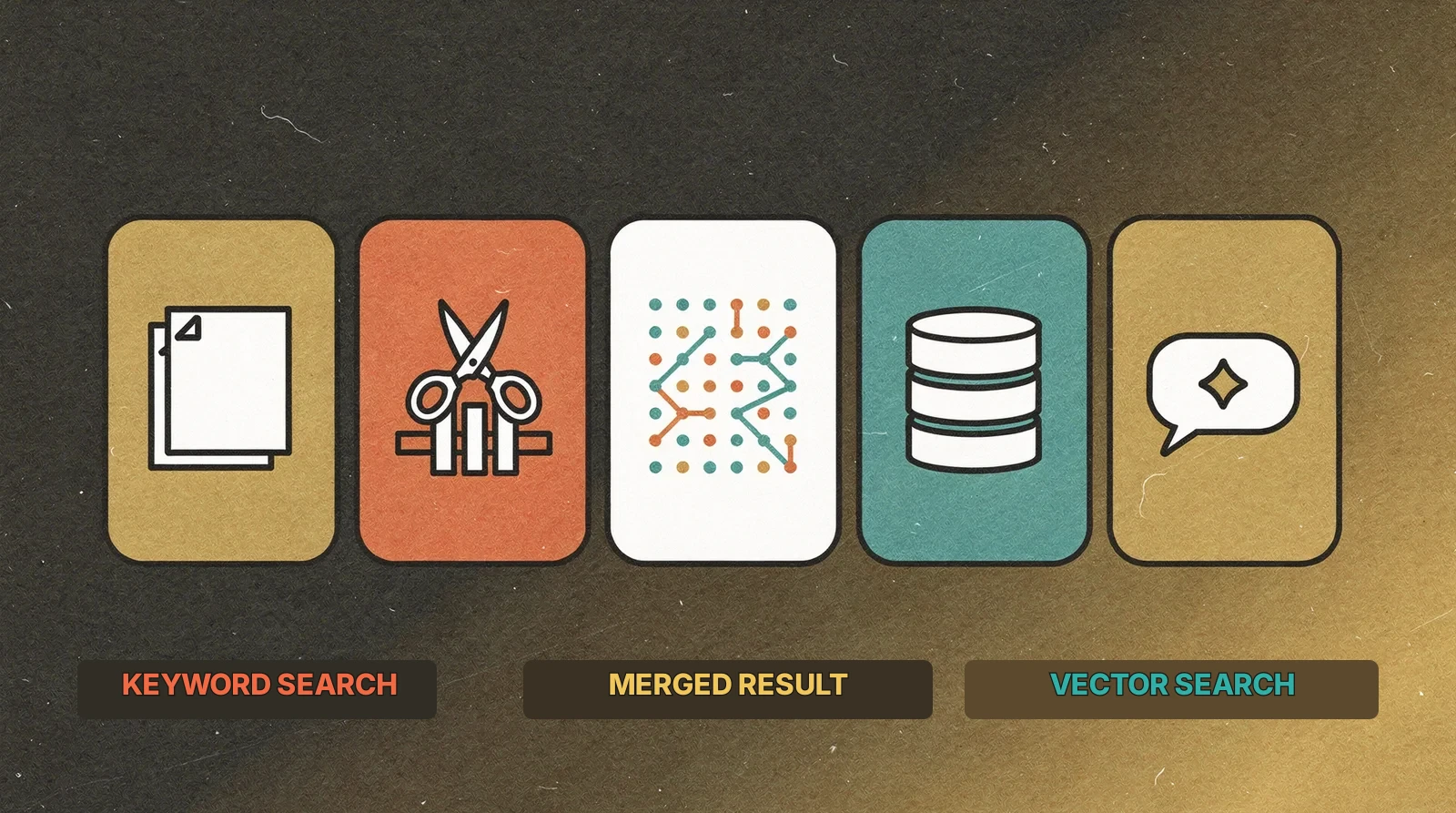
The principle is simple: run two searches in parallel, vector and BM25 full-text, then merge the results. The most common fusion method is Reciprocal Rank Fusion:
- Vector search returns one ranking: document A first, B third, C fifth.
- BM25 returns another ranking: B first, D second, A fourth.
- RRF combines them by weighting the inverse of the rank, with
kusually around 60.
score = 1 / (k + vector_rank) + 1 / (k + bm25_rank)Document B, well ranked in both searches, moves to the top.
If a user searches “X400 connector resistant to humidity”, vector search captures meaning, for example “resistant to humidity” close to “waterproof” or “IP67”, while BM25 catches the exact term “X400”, which vector search might miss. Combining both retrieves the right document even when the query mixes natural language and technical terms.
4.5. Prompt engineering: the invisible block
Between retrieval and generation, many teams neglect prompt construction. Spending 80% of the effort on retrieval and then writing a basic prompt is a reliable way to get hallucinations, even with the right documents in context.
Structure the prompt in separate blocks:
- System: the role of the AI, such as technical expert, legal assistant or customer support.
- Instructions: strict rules, answer format, length, tone, and above all grounding: “Answer only from the provided documents. If the information is not in the context, say so explicitly.”
- Context: the chunks retrieved by the system, with metadata.
- Question: the user’s query.
Three techniques that change the result:
- Mandatory citations: require the LLM to cite sources for each claim. This reduces hallucinations and enables human verification.
- Few-shot examples: provide 2 or 3 complete examples of question, reasoning and expected answer.
- Handling lost in the middle: LLMs tend to ignore information in the middle of long contexts. Put the most relevant chunks at the beginning and the end.
5. Generation
The retrieved chunks are injected into the LLM prompt, and the model generates the final answer. The choice of LLM, GPT-4o, Claude, Gemini, Llama or Mistral, affects synthesis quality, but is usually the easiest part to swap.
Vector databases: detailed comparison
This is where the most structural architectural decision happens. There are three broad families.
Specialized databases
These tools are designed from the start for vector storage and search.
Pinecone
- Deployment: fully managed, serverless.
- Strengths: setup in minutes, no infrastructure to manage, automatic scaling, native hybrid search, namespaces for multi-tenancy.
- Weaknesses: proprietary, vendor lock-in, expensive at scale, no self-hosting, variable latency on serverless plans.
- Pricing: free up to 2 GB, then storage and reads are billed.
- Best fit: teams that want production RAG with no ops, scale-ups that value time-to-market.
- Scale: billions of vectors.
Qdrant
- Deployment: self-hosted or Qdrant Cloud.
- Strengths: written in Rust, fast, advanced metadata filtering, hybrid search, built-in quantization, simple API.
- Weaknesses: self-hosting requires DevOps, the cloud version is newer than Pinecone.
- Pricing: open-source self-hosted, cloud from about $25/month.
- Best fit: technical teams that want control without sacrificing performance, multi-cloud or on-premise.
- Scale: tested on billions of vectors, horizontal sharding.
Weaviate
- Deployment: self-hosted or Weaviate Cloud.
- Strengths: native GraphQL API, integrated vectorization, BM25 + vector hybrid search, generative search modules, good connector ecosystem.
- Weaknesses: heavier than Qdrant, GraphQL learning curve, integrated vectorization can create coupling.
- Best fit: projects that want a RAG pipeline integrated into the database.
Milvus / Zilliz
- Deployment: self-hosted with Milvus or managed with Zilliz Cloud.
- Strengths: built for massive scale, storage/compute separation, GPU acceleration, many index types, CNCF project.
- Weaknesses: complex to operate, depends on several components, overkill for small volumes.
- Best fit: very large volumes, DevOps-capable teams, multimodal search.
ChromaDB
- Deployment: embedded in Python or server mode.
- Strengths: easy installation, very approachable API, perfect for prototypes and notebooks.
- Weaknesses: not designed for large-scale production, no native hybrid search, no high availability.
- Best fit: prototypes, POCs, personal projects.
Turbopuffer
- Deployment: managed serverless.
- Strengths: stores vectors on object storage, very low idle cost, native BM25, good for variable workloads.
- Weaknesses: young product, potentially higher latency than in-memory databases, smaller ecosystem.
- Best fit: large corpora queried infrequently, semantic archive, constrained budgets.
Extensions of existing databases
Already have a database? Add vector capabilities to it.
pgvector (PostgreSQL)
- Deployment: PostgreSQL extension available on Supabase, Neon, AWS Aurora, Railway or self-hosted PostgreSQL.
- Strengths: no new database to operate, vectors live next to relational data, standard SQL, joins with business tables, hybrid search via
tsvector+ pgvector. - Weaknesses: slower than specialized databases beyond 10M vectors, HNSW indexing consumes RAM.
- Best fit: SMBs already on PostgreSQL, projects where vectors must be joined with business data.
- Scale: comfortable up to about 5-10M vectors.
Example: semantic search with pgvector
CREATE TABLE documents (
  id SERIAL PRIMARY KEY,
  title TEXT,
  content TEXT,
  embedding vector(1536)
);

CREATE INDEX ON documents
  USING hnsw (embedding vector_cosine_ops);

SELECT title, content,
       1 - (embedding <=> $1) AS similarity
FROM documents
ORDER BY embedding <=> $1
LIMIT 5;
MongoDB Atlas Vector Search
Transparent if you already run MongoDB Atlas. It combines vector search with filtering on MongoDB documents and a unified aggregation pipeline. The downside is that it is Atlas-only and less specialized than dedicated vector databases.
Redis Vector Search
Very fast because it runs in memory. Useful for semantic cache or low-latency RAG on moderate volumes. The cost grows quickly with RAM requirements.
Cloudflare Vectorize
Managed and integrated into Cloudflare Workers. Good for teams already building on the Cloudflare edge, but more limited than specialized vector databases.
Turso Vector
Distributed SQLite with vector support. Lightweight, edge-friendly and useful for embedded or mobile scenarios, but still limited for advanced vector workloads.
Platform-integrated solutions
These solutions couple vector storage with a broader application platform.
Convex (@convex-dev/rag)
- Deployment: managed, integrated into Convex.
- Strengths: native vector support in a real-time database, no separate service, embeddings and search through Convex functions, real-time updates, hybrid search, end-to-end TypeScript.
- Weaknesses: tied to Convex, less control over indexing than Qdrant or Milvus.
- Best fit: real-time applications that need RAG without infrastructure complexity.
Example: semantic search with Convex RAG
await rag.insertDocument(ctx, {
  title: "X400 pump maintenance procedure",
  body: "For the quarterly maintenance of the X400 pump...",
  metadata: { category: "maintenance", equipmentId: "X400" },
});

const results = await rag.search(ctx, {
  query: "pump maintenance humid environment",
  limit: 5,
  filter: { category: "maintenance" },
});
Firebase / Vertex AI RAG Engine
Managed on Google Cloud. Google handles ingestion, chunking, embedding, storage and retrieval, with native Gemini integration and Google Search grounding. It is powerful for companies already on Google Cloud, but comes with lock-in and complex pricing.
OpenAI File Search
Managed by OpenAI. Upload files and get a working RAG system in a few lines. The trade-off is that it is a black box: little control over chunking, embedding or retrieval, and costs can grow with large corpora.
RAG frameworks: orchestration layer
Vector storage is necessary but not sufficient. In production, you need to orchestrate ingestion, chunking, retrieval, generation, errors, streaming and multi-turn flows.
LangChain / LangGraph
The most popular RAG framework, available in Python and JavaScript. Its strengths are a huge ecosystem, connectors for almost everything, an active community and LangSmith for monitoring. Its weaknesses are abstraction overhead, debugging difficulty and frequent API changes. It is good for getting started, but many production teams end up using only a subset.
LlamaIndex
Specialized in document indexing and retrieval. It is stronger than LangChain on complex ingestion, such as multi-column PDFs, tables and images, and its retriever abstractions are well designed. It is less general-purpose outside RAG.
Haystack
A production-oriented RAG framework with declarative pipelines. Less fashionable, but explicit and reliable, with good support for evaluation.
RAGatouille
A lightweight library centered on ColBERT. It can improve retrieval quality without changing the whole architecture, but it is not a full framework.
Vercel AI SDK
A TypeScript/JavaScript SDK for building AI applications, with RAG support. It fits React, Next.js and streaming workflows well, and is a strong choice for TypeScript teams.
Turnkey solutions
Vertex AI RAG Engine and OpenAI File Search manage the pipeline for you: upload, index, query, answer. Time-to-market is excellent, but control is low, lock-in is high, and cost can grow quickly.
Google Vertex AI & Grounding
Google has taken a distinct approach that deserves its own section.
Vertex AI Search
Grounding lets Gemini verify answers against the web in real time. When Gemini generates an answer, it can query Google Search to confirm facts and add citations.
This is useful when proprietary data must be enriched with current public information: news, regulation, market data.
Vertex AI RAG Engine
A fully managed RAG pipeline:
- Create a corpus and upload documents.
- Google handles parsing, chunking, embedding and indexing.
- Query through the API or directly from Gemini.
The promise is zero vector infrastructure. The reality is that it works well for standard cases, but lack of control over chunking and retrieval can be frustrating for complex business documents.
When to choose Google
- You are already on Google Cloud.
- Gemini is your main LLM.
- Your documents are relatively standard.
- You need minimal time-to-market.
When to build it yourself
- You need precise control over chunking.
- You want to remain LLM-agnostic.
- You have strict latency constraints.
- You need detailed control over hybrid search.
Going further: often neglected aspects
Evaluating RAG quality
Choosing a stack is one thing. Knowing whether it works is another. In production, you need to measure answer quality.
Automatic evaluation frameworks can quantify performance:
- RAGAS: measures faithfulness, relevance and completeness.
- DeepEval: adds metrics such as hallucination, toxicity and bias, with pytest integration.
- Haystack Evaluation: useful if you already use Haystack.
The Golden Dataset
Evaluation frameworks are useless without reference data. A Golden Dataset is a sample of real user questions, associated with expected answers and source documents. It is one of the most underrated and decisive tools in a RAG project.
Build it with business experts, not alone. Collect real questions across easy, medium and complex levels. Define the expected answer and output format for each. For a prototype, 10 to 50 questions are enough. For production, aim for 100 to 500.
Watch three metrics:
- Precision: is the answer exact, complete and reproducible?
- Recall: does retrieval find the right chunks?
- Faithfulness: does the answer stay grounded in the sources?
- Latency: users drop off above 3 to 5 seconds.
Change one variable at a time, then rerun the Golden Dataset. That is the only way to know what improves or degrades quality.
Multimodal RAG
In 2026, companies no longer search only text. Technicians need technical diagrams, analysts need financial charts, training teams need videos.
Multimodal RAG is still young, but several approaches are emerging:
- ColPali / ColQwen: retrieval models that work directly on page images without OCR.
- Milvus / Zilliz: native support for multimodal vectors.
- Multimodal LLMs: GPT-4o, Gemini and Claude can analyze images in RAG context, but retrieving the right images remains the hard part.
If your business documents contain many visuals, multimodal is no longer a luxury. Expect a more complex pipeline and higher embedding costs.
Privacy and sensitive data
For GDPR-regulated companies or teams handling sensitive information, ingestion must include PII detection and anonymization before embedding.
In practice:
- Before embedding: scan chunks for names, emails, phone numbers, IBANs and sensitive identifiers.
- Anonymize or pseudonymize: replace PII with generic tokens before creating vectors.
- Tools: Microsoft Presidio, AWS Comprehend, spaCy with custom NER models.
An embedding vector contains a semantic representation of the text. Sensitive information can theoretically leak from it. Upfront anonymization remains the most reliable protection.
User interface
Most RAG guides stop at the technical pipeline. Yet the interface determines adoption.
The classic chatbot is a trap. An empty text box saying “Ask your question…” looks intuitive. In practice, users often do not know what to ask, how to phrase it, or what context to provide. The result is vague questions, imprecise answers and loss of trust.
The alternative: guided business interfaces. Instead of a text box, use dropdowns, structured fields and selection buttons. The interface captures 4 or 5 precise context points and sends structured JSON to the pipeline. The LLM then returns a structured answer: symptoms, causes, solutions, sources.
Why it works:
- Lower cognitive load: users do not have to guess the right phrasing.
- Better retrieval: a structured query with business context has a broader semantic surface.
- UI-driven orchestration: the interface can route to RAG, SQL or calculation based on user choices.
- Adoption: perceived RAG quality depends as much on the interface as on the pipeline.
Field feedback: Jonas Roman observes that most high-performing production RAG projects do not use chatbots, but dedicated business interfaces that are faster to adopt and better suited to daily work.
Observability
Evaluating RAG before launch is necessary. In production, you need continuous monitoring.
Place checkpoints at each critical step:
- After retrieval: which chunks were returned? Are they relevant?
- After reranking: did the order change? Are the right documents at the top?
- At the final answer: are sources cited? Is the answer faithful to context?
When an answer is wrong, these checkpoints let you reverse-engineer the issue. Did retrieval return the wrong documents? Was the right document in context but ignored by the LLM? Was the prompt poorly structured?
Reject black boxes for serious use cases. RAG as a Service is convenient for prototypes, but you have little visibility into the internals. In finance, healthcare or legal, explainability is not a bonus. It is a requirement.
Beyond vectors
RAG is not limited to “embeddings + vector database”. Several emerging approaches complement or replace classic semantic search.
GraphRAG / Knowledge Graphs
Instead of chunking text and vectorizing chunks independently, GraphRAG preserves relationships and logical links between information. It is especially powerful when you need exhaustiveness: finding every contract with a clause, tracing process dependencies, identifying non-compliance across a corpus.
Page Indexing
A vectorless RAG technique that indexes documents by page and logical structure rather than by vectors. Useful when document layout carries as much meaning as content.
Exploratory File Search agents
Agents use multi-turn search to read through data like a human would. They ask an initial query, analyze results, refine the search and iterate until they find the information.
Self-RAG / Reflective RAG
The system retrieves information, then checks whether it is relevant and sufficient. If quality is too low, it launches new queries and only returns an answer after passing its own reliability criteria.
These approaches are still often R&D work. Watch them closely, but be cautious before putting them into production. Classic vector RAG with hybrid search remains the proven standard.
Decision matrix
| Solution | Complexity | Cost | Scalability | Latency | Hybrid | Multi-tenant | Open source | Maturity |
|---|---|---|---|---|---|---|---|---|
| Pinecone | Low | High | 5/5 | 4/5 | Yes | Yes | No | 5/5 |
| Qdrant | Medium | Low to medium | 5/5 | 5/5 | Yes | Yes | Yes | 4/5 |
| Weaviate | Medium | Low to medium | 4/5 | 4/5 | Yes | Yes | Yes | 4/5 |
| Milvus | High | Low to medium | 5/5 | 5/5 | Yes | Yes | Yes | 4/5 |
| ChromaDB | Low | Free | 2/5 | 3/5 | No | No | Yes | 2/5 |
| Turbopuffer | Low | Low | 4/5 | 3/5 | Yes | Yes | No | 2/5 |
| pgvector | Low | Low | 3/5 | 3/5 | Manual | Yes | Yes | 4/5 |
| MongoDB Atlas VS | Low | Medium | 4/5 | 3/5 | No | Yes | No | 3/5 |
| Redis VS | Medium | Medium | 3/5 | 5/5 | Yes | Yes | Yes | 3/5 |
| Convex RAG | Low | Low to medium | 3/5 | 4/5 | Yes | Yes | SDK yes | 3/5 |
| Vertex AI RAG | Low | Medium to high | 5/5 | 3/5 | Yes | Yes | No | 3/5 |
| OpenAI File Search | Low | High | 3/5 | 3/5 | No | No | No | 3/5 |
Recommendations by profile
Early-stage startup
-> Convex (@convex-dev/rag) or pgvector via Supabase
You do not have DevOps capacity and want to ship quickly. Convex gives you a database, vector search and real-time behavior in one service. Supabase + pgvector is the alternative if you prefer PostgreSQL and your vector needs are simple.
Do not spend three months designing the perfect RAG system. Start simple and iterate.
SMB with existing PostgreSQL
-> pgvector
You already run PostgreSQL in production, with a team that knows it and backups in place. Add pgvector as a SQL migration. Your vectors live next to your business data.
If you exceed 5 to 10 million vectors, or search latency becomes critical, it will be time to move to a specialized database.
Scale-up / large volume
-> Pinecone or Qdrant
You have tens of millions of documents, sustained traffic and latency requirements. Pinecone if you want zero ops. Qdrant if you want control and have the team to operate it, or use Qdrant Cloud.
Google Cloud enterprise
-> Vertex AI RAG Engine + Qdrant/Pinecone for advanced cases
Vertex AI handles standard cases. Qdrant or Pinecone handle cases that require fine control. Google Search grounding is a real differentiator when users need current public information.
Multi-cloud enterprise
-> Self-hosted Qdrant or Weaviate
You do not want vendor lock-in. Qdrant and Weaviate run on any Kubernetes cluster. You keep full control over data and infrastructure.
Fast prototype
-> ChromaDB or OpenAI File Search
You want to validate an idea in an afternoon. ChromaDB if you use Python and want to understand the mechanics. OpenAI File Search if you just want to see RAG working without managing vectors.
Do not put either one into large-scale production.
Conclusion: RAG is not a single choice
RAG is not a product you buy. It is an architectural spectrum, from “three lines of code with OpenAI File Search” to “distributed pipeline with Qdrant, Cohere reranking and continuous evaluation”.
The right choice depends on three factors:
- Where you are: prototype, MVP or established production?
- What you have: DevOps team, PostgreSQL already in place, Google Cloud?
- What you need: volume, latency, accuracy?
The worst mistake is over-architecting. Complex multi-agent RAG architectures can look attractive, but field experience shows that many overly ambitious systems do not hold up in production. Each additional LLM call multiplies the error rate. If a model has a 5% error rate, cascading several calls noticeably lowers global reliability.
Start with the simplest solution that meets the immediate need. pgvector or Convex for a first production RAG. ChromaDB for a POC. Migrate when, and only when, you hit the limits.
The second worst mistake is underestimating upstream work. The best vector database in the world will not compensate for poorly prepared data, bad chunking or the wrong embedding model. Data preparation and business engineering represent most of the effort.
The third mistake is often invisible: neglecting the interface. A technically solid RAG hidden behind a plain text box will be underused. Think of RAG as a product for business users, not only as a technical pipeline.
A word on trends: keep an eye on object-storage architectures such as Turbopuffer, GraphRAG for cases requiring exhaustiveness and relationship traceability, and Self-RAG for more reliable agentic pipelines. RAG is not disappearing. It is evolving into a central knowledge infrastructure for enterprise AI.
Need help choosing? At AppExpress, we implement RAG systems for SMBs, from a one-week POC to production pipelines with continuous evaluation. If you are hesitating between options or want to validate your architecture before committing, let’s talk.